 LinkPatrol
Every broken link on the page, in one click.
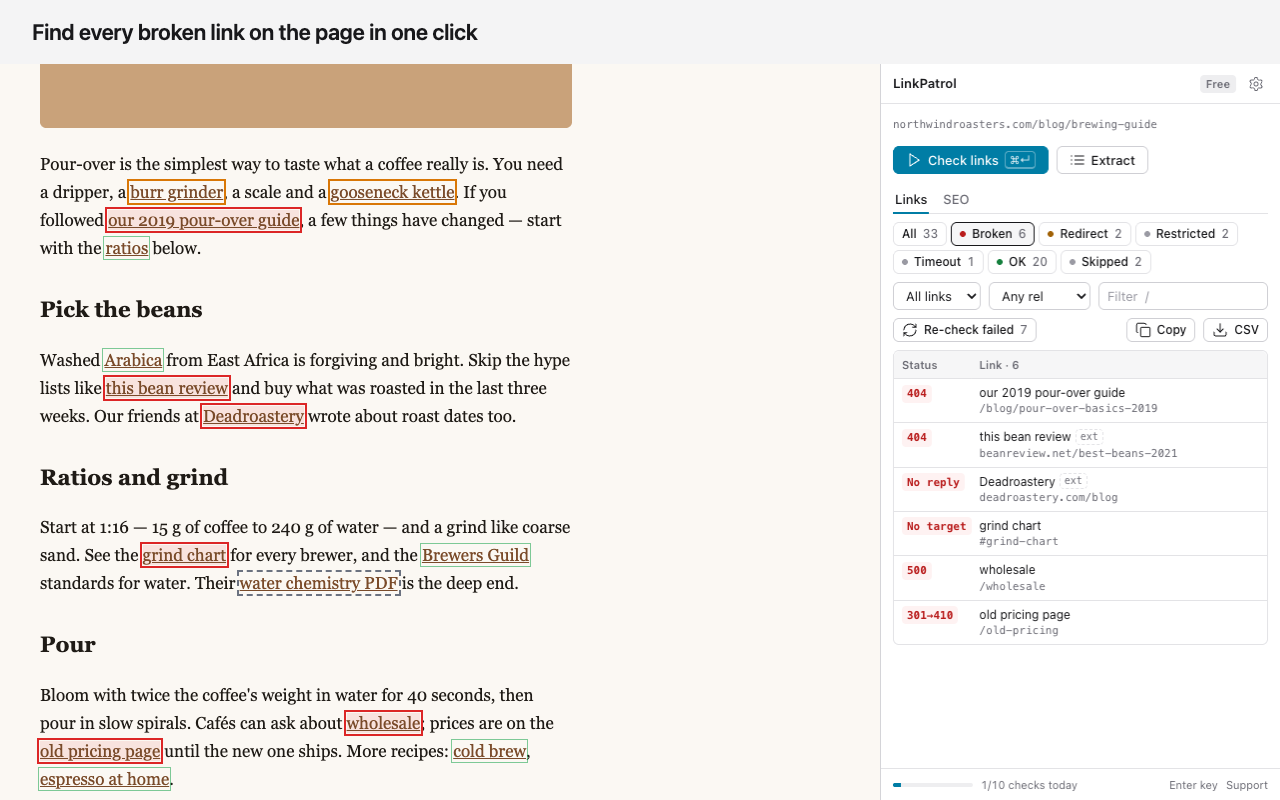
LinkPatrol checks every link on the page you're on and lists 404s, redirects and nofollow in the side panel. Or extract every link to CSV without checking.
- Side panel, not an overlay
- HEAD → GET retry
- No cookies sent
- No ads, no tracking
Three steps.
- 1
Open any page
Click the LinkPatrol icon or press Alt+Shift+L. Results open in the side panel, so the page stays visible.
- 2
Check links
Every link on the page is requested from your browser. Broken ones are outlined in red right where they sit.
- 3
Fix and export
Click a row to scroll to the link, re-check only the failed ones after you fix them, or export a CSV.
Results beside the page, not on top of it.
Checking, extracting, redirects and rel flags in one tool.
Broken links
404, 410, 500 and other errors, domains that no longer resolve, and same-page #anchors with no target.
Redirect chains
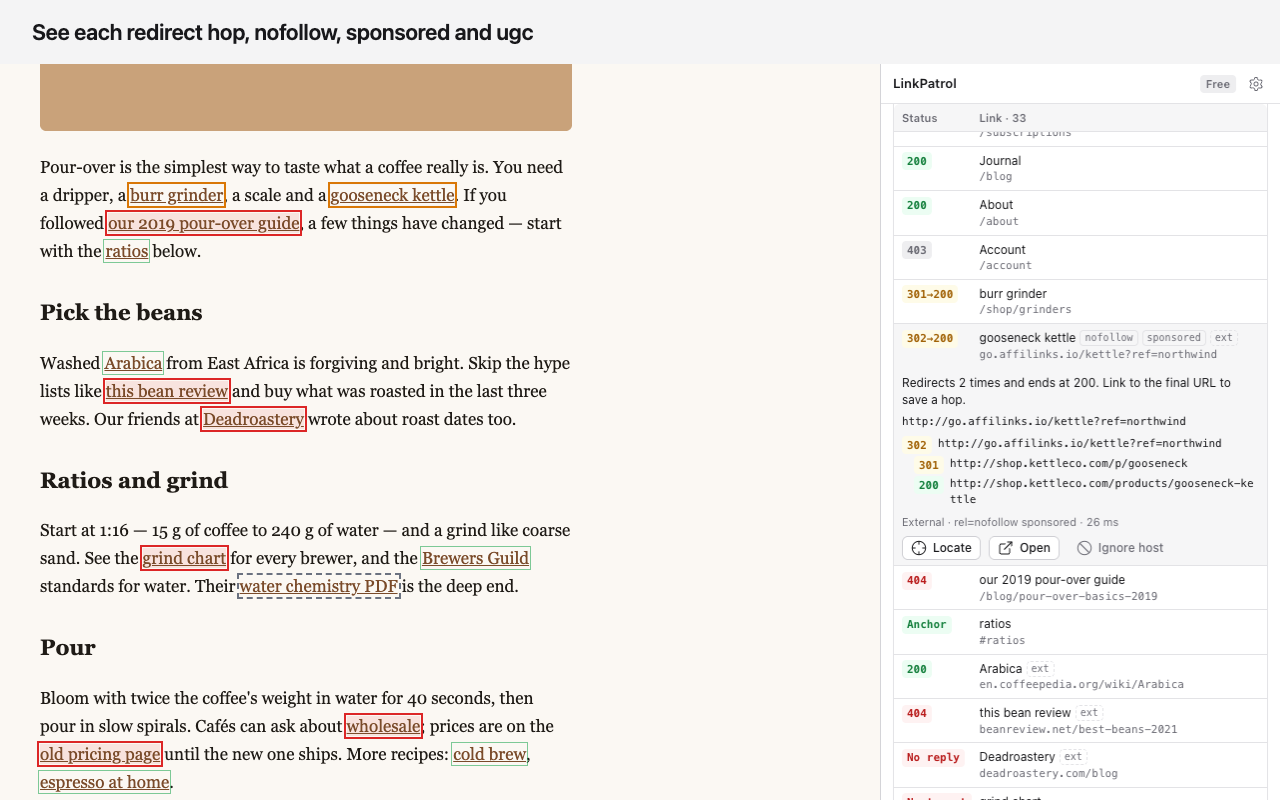
Each hop, like 302 → 301 → 200, and the final URL to link to instead.
Restricted, kept separate
401, 403, 429 and LinkedIn's 999 are listed as Restricted, so login walls and bot blocks aren't counted as dead links.
Fewer false alarms
Many servers reject the quick HEAD request. When it fails, LinkPatrol retries with a normal GET before calling a link broken.
rel attributes
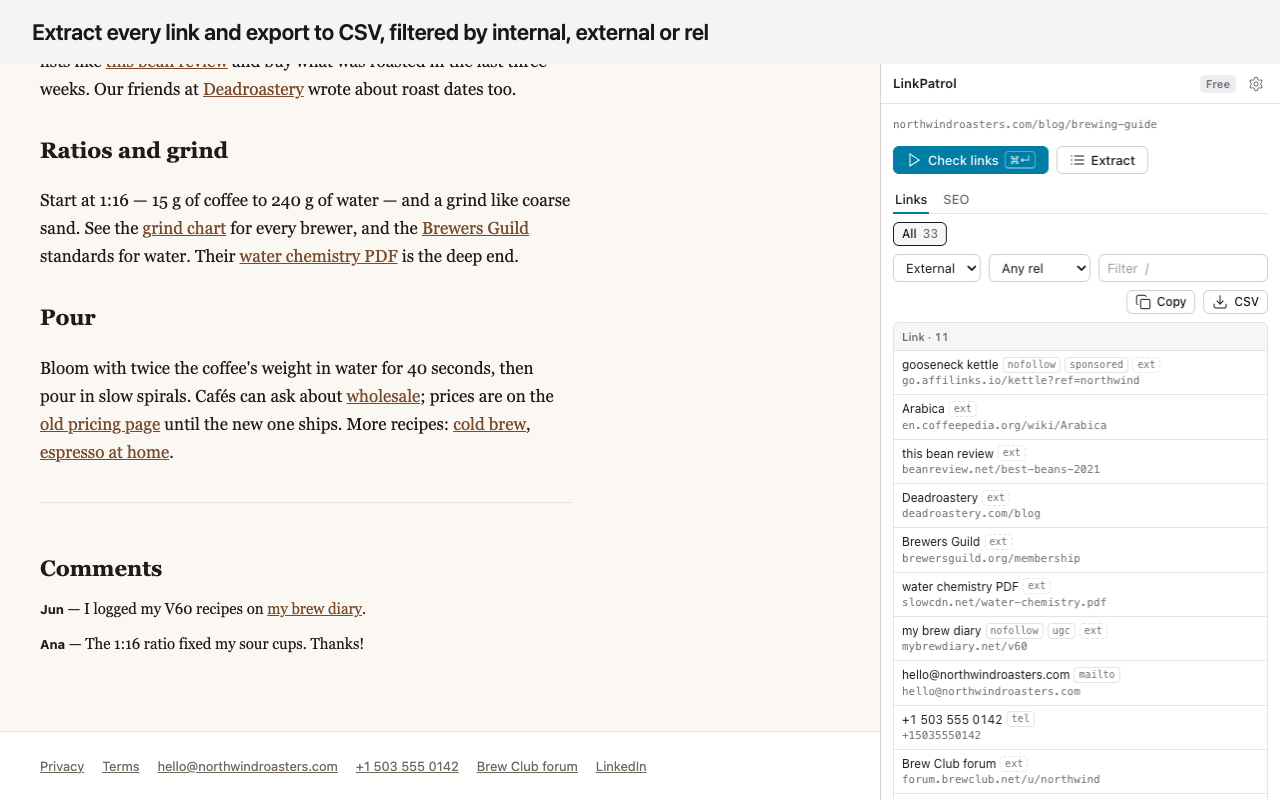
nofollow, sponsored and ugc on every link, with internal vs external and the anchor text.
Extract links
List every link without checking it. Filter by internal, external, rel or text, then copy or export a CSV.
Built for repeat work
Re-check only the failed links, keep an ignore list of hosts, set your own timeout.
Keyboard first
⌘/Ctrl+Enter to check, X extract, E export, R re-check, / filter.
What it does and doesn't do.
Works with
- Any http or https page you can open in Chrome
- Links to any site: checking a link means requesting its URL
- Pages behind your own login: the links are read from the page you already have open
- Light and dark mode
Doesn't
- Browser pages like chrome:// and the Chrome Web Store
- Links that need your login: checks run without cookies, so they show as Restricted rather than broken
- mailto:, tel: and javascript: links are listed but not checked
- One page per check: it works on the page you have open
LinkPatrol reads the links on pages you open. It doesn't bypass logins or paywalls: a link behind a login shows as Restricted.
Free for a few pages a day. Pro for all of them.
| Free | Pro | |
|---|---|---|
| Page checks | 10 a day | Unlimited |
| Extract links | Unlimited | Unlimited |
| Re-check failed links | Free, not counted | |
| CSV export and copy | Up to 100 links | Every link |
| Redirect chains, rel flags, ignore list | ||
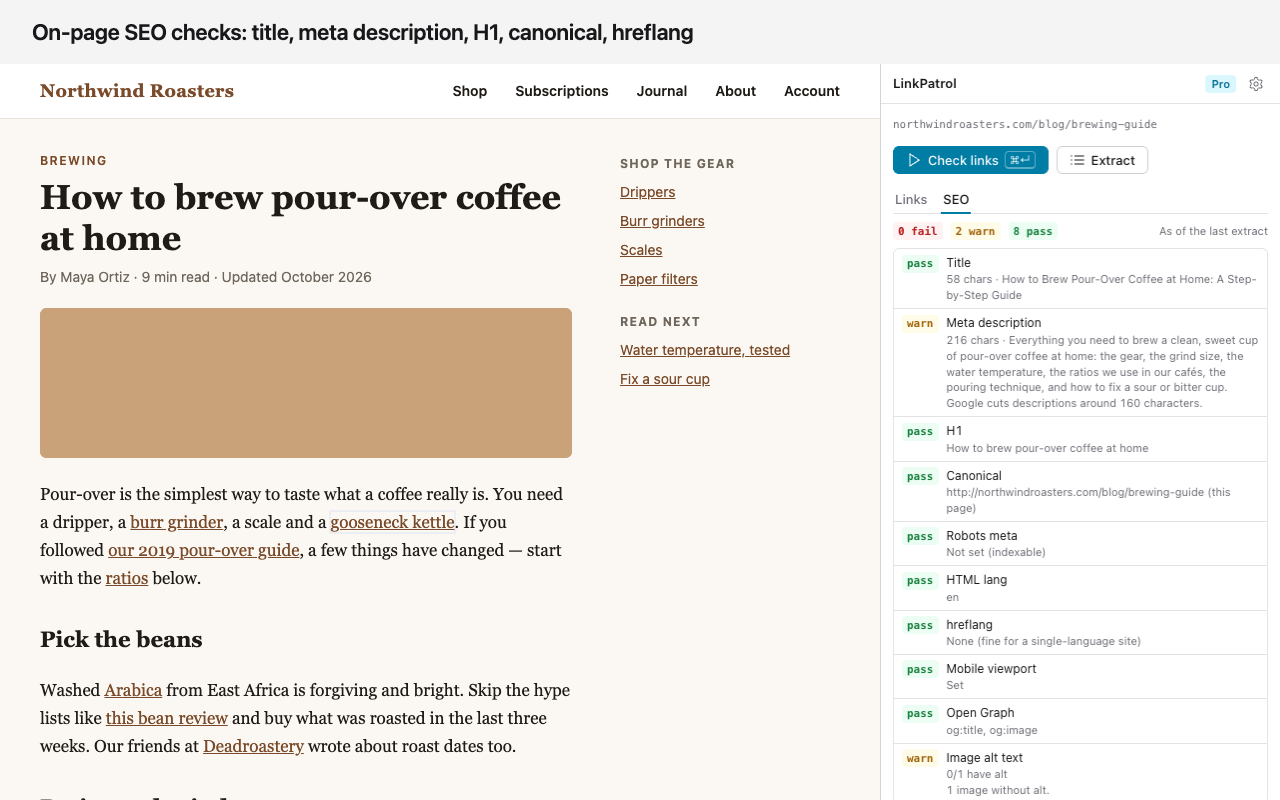
| On-page SEO checks |
Pro monthly
$4.99 / month
Billed monthly. Pro stays on until the paid month ends.
Pro lifetime
$39 once
About 8 months of monthly. No renewals.
Questions.
How do I find broken links on a page?
Install LinkPatrol, open the page, click the LinkPatrol icon and press Check links. Every link is requested from your browser and the broken ones are listed in the side panel and outlined in red on the page.
Is LinkPatrol free?
Yes. Free gives you 10 page checks a day, unlimited link extracting, and CSV or copy of up to 100 links. Re-checking failed links and stopping a check early don't use up a check. Pro ($4.99/month or $39 once) removes the limits and adds on-page SEO checks.
Why does it ask for access to all websites?
Checking a link means requesting its URL, and links can point to any site. Chrome asks the first time you click Check links, not at install. Reading the page's links only uses the tab you clicked on.
Can checking links log me out of a site, or change anything?
No. Checks are sent without your cookies, so a "Log out" or "Delete" link is requested as a stranger would request it. Links that need a login show as Restricted.
Why is a link marked Restricted instead of Broken?
A 401, 403, 429 or LinkedIn's 999 usually means a login wall or a bot block, not a dead page. LinkPatrol keeps them apart so your broken count only holds real breakage. Open a restricted link yourself to confirm.
Does it send the pages I check to a server?
No. The page and its links stay in your browser. Each link check goes straight from your browser to that link. The only server we run is the licence server, used when you enter a Pro key.
What do the on-page SEO checks cover?
Title and meta description length, H1, canonical, robots meta, HTML lang, hreflang, mobile viewport, Open Graph tags and image alt text. They are part of Pro.
Is it a Check My Links or Link Klipper alternative?
It covers what those did: check every link on a page, and extract links to CSV. It also shows redirect chains and nofollow, sponsored and ugc flags, which usually takes a separate extension.
Something else? See support or email [email protected].
Nothing shady.
No ads, no analytics, no third-party scripts, no remote code. Link checks go straight from your browser to each link, without cookies. Read the privacy policy.