 HeaderLock
Modify HTTP headers in Chrome, per URL.
Add, change or remove request and response headers on the sites you choose. Bring your ModHeader profiles with you. On the free plan HeaderLock makes no network requests at all.
- Imports ModHeader JSON
- declarativeNetRequest
- Free makes no requests
- No analytics
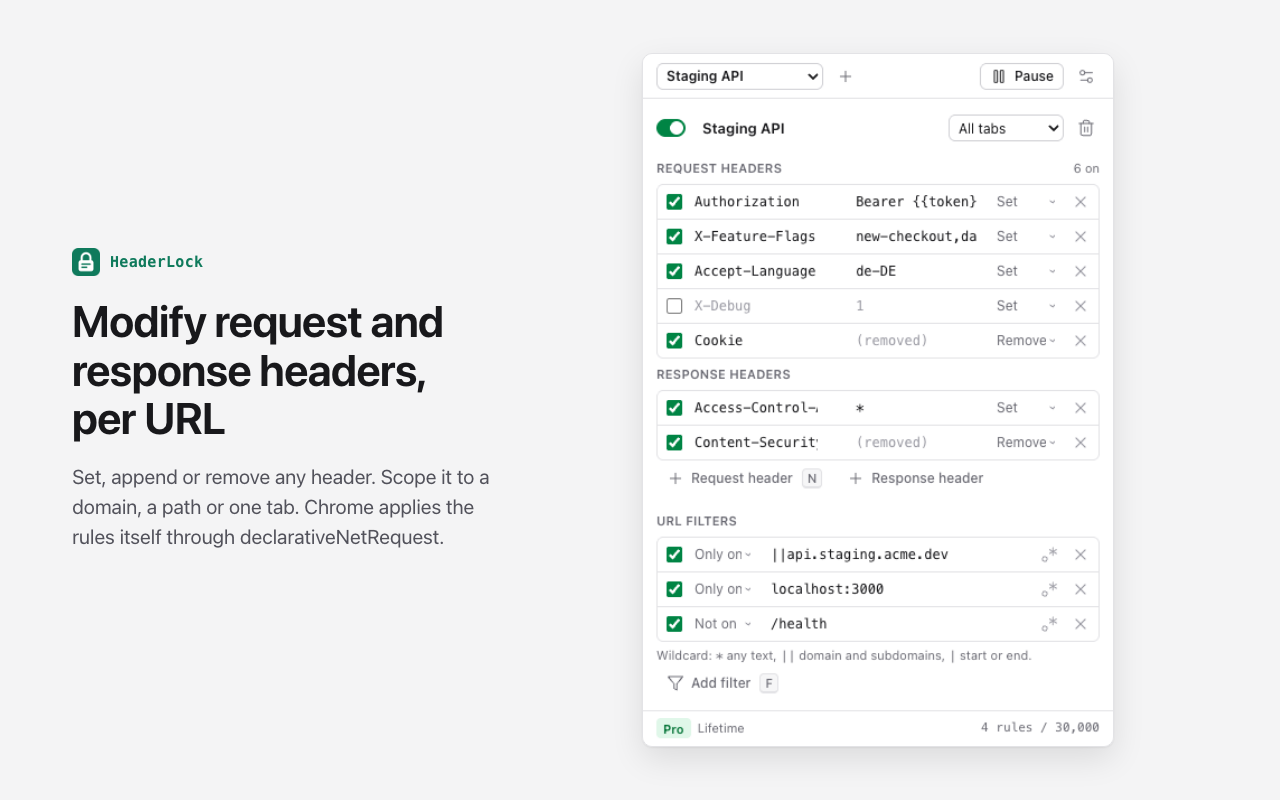
Three steps.
- 1
Add a header
Click the HeaderLock icon or press Alt+Shift+H. Type a name and value, then choose set, append or remove.
- 2
Pick where it applies
Add URL filters like ||api.example.com or localhost:3000/*, or keep the profile to the tab you are testing in.
- 3
Allow that site
Chrome asks for access to just the hosts in your filters, at that moment. Then it applies the headers itself.
Your profiles, carried across exactly.
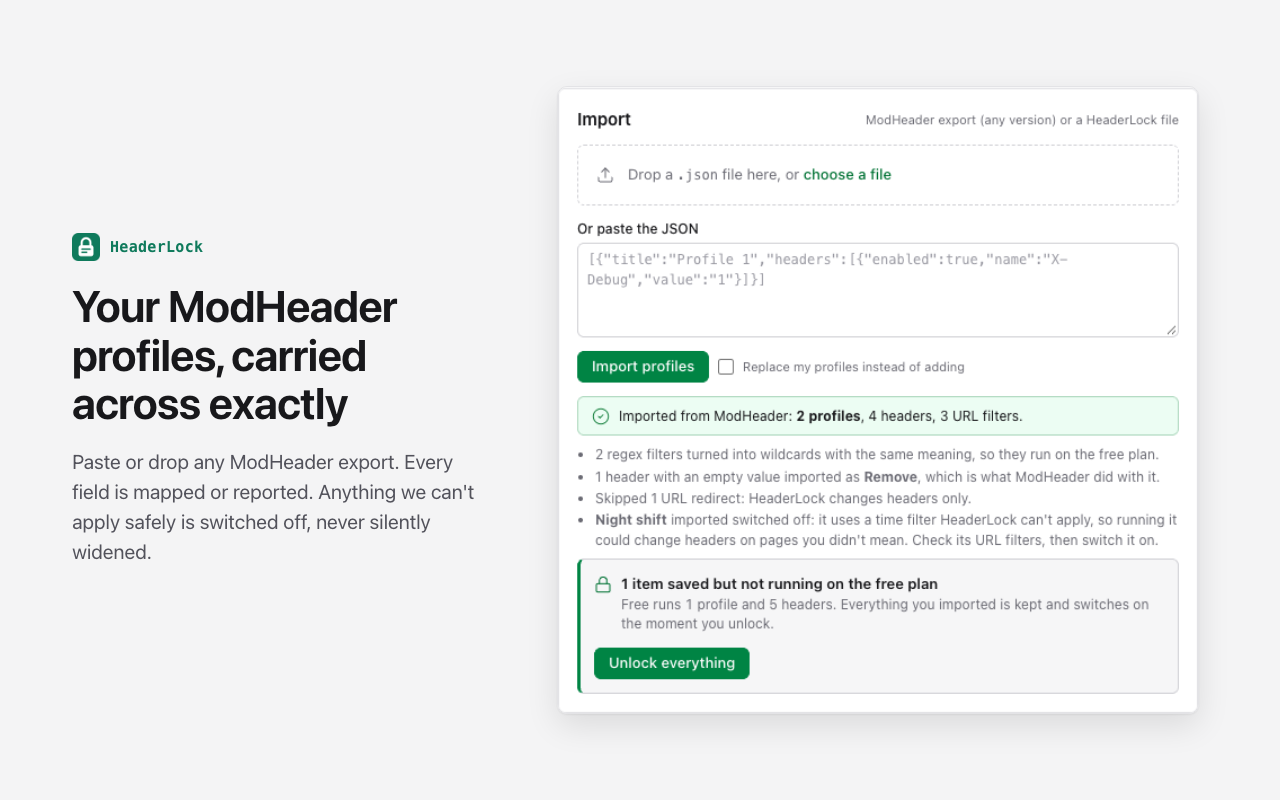
- Paste or drop any ModHeader export, including old v1 files.
- Headers, append and remove modes, URL and exclude filters, resource types and request methods are mapped.
- Simple ModHeader regex filters become wildcards with the same meaning, so they keep working on the free plan.
- Filters HeaderLock can't apply safely (time, tab or window filters) are not dropped: that profile is imported switched off, never widened to every page.
- You get a report of everything it couldn't carry over, like URL redirects or cookie rules.
- Export back to ModHeader format any time. No lock-in.
HeaderLock is not affiliated with ModHeader or its developers.
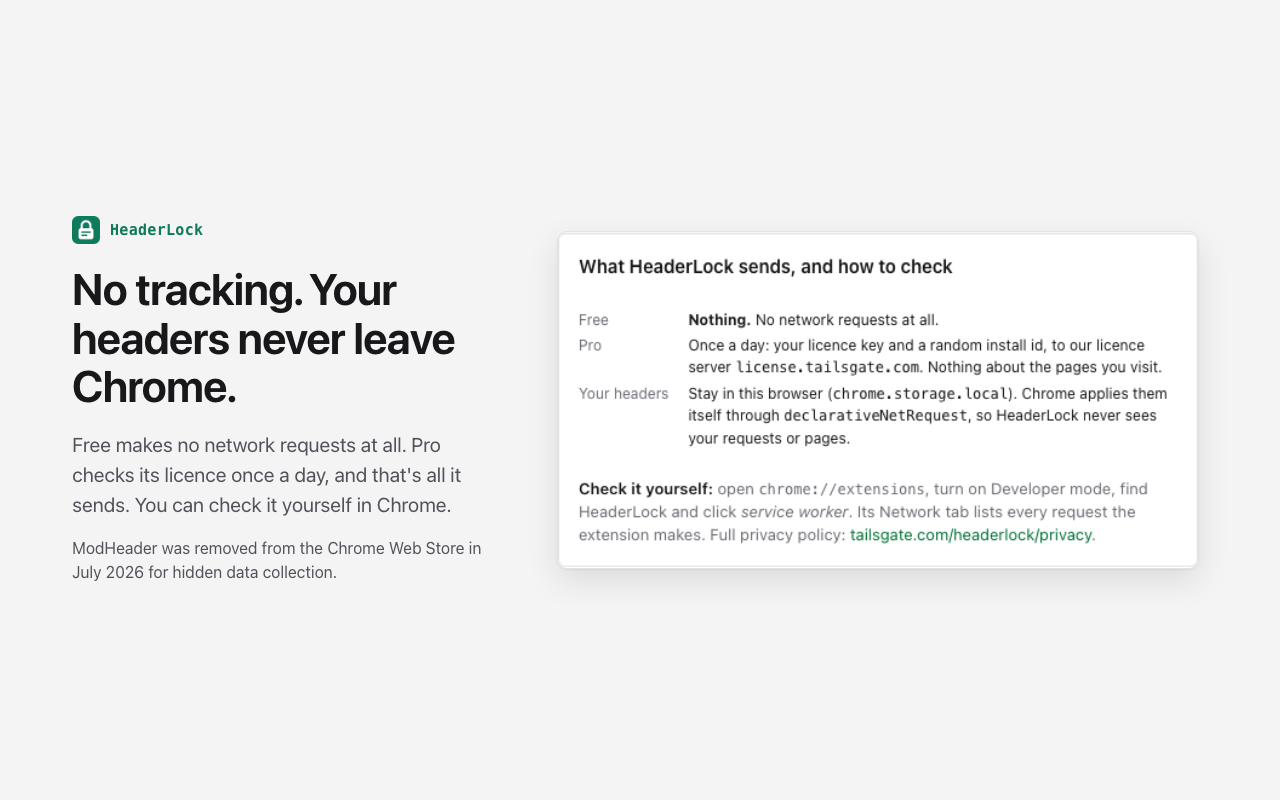
A header editor sits on all your traffic. This one never sees it.
Free
No network requests at all
Your profiles, headers and filters stay in this browser.
Pro
One licence check a day
Your licence key and a random install id go to license.tailsgate.com. Nothing about the sites you visit.
Your traffic
Applied by Chrome, not by us
Rules go through declarativeNetRequest. No webRequest, no content scripts, no remote code.
Check it yourself: open chrome://extensions, turn on Developer mode, find HeaderLock and click service worker. Its Network tab lists every request the extension makes. Read the privacy policy.
A dense, quiet popup built for testing.
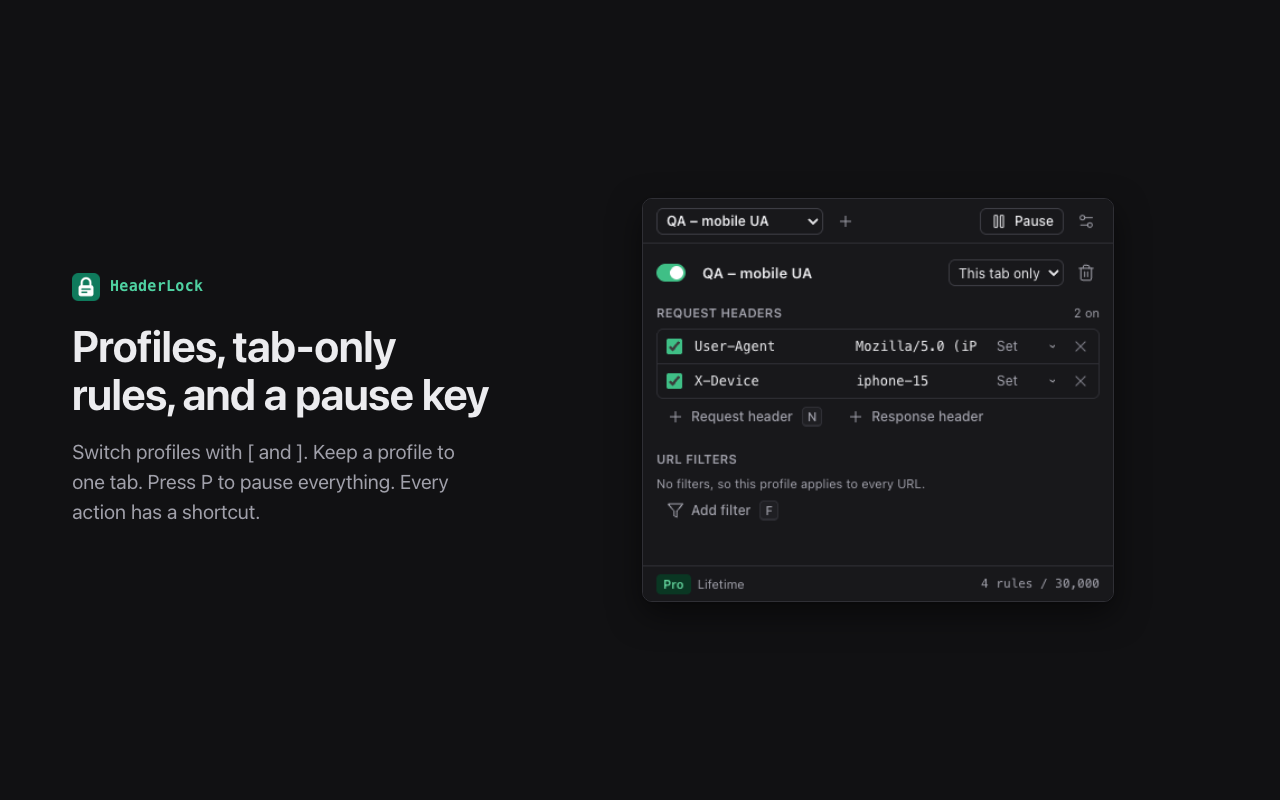
Everything you used a header editor for.
Request and response headers
Set, append or remove any header: Authorization, Cookie, User-Agent, CORS, CSP, caching. Response headers are Pro.
URL filters
Wildcards (||api.example.com, localhost:3000/*) or regex (Pro). "Only on" and "Not on" rules, per profile.
Profiles
One per environment: staging, QA, local. Switch with [ and ], pause everything with P.
This tab only
Keep a profile to the single tab you are testing in, so the rest of your browsing is untouched.
{{variables}}
Write a token once and use it as {{token}} in every profile. Change it in one place. Pro.
Import and export
Back up or move your profiles as a HeaderLock file, or export them in ModHeader format.
Live badge
The toolbar badge shows how many headers are active right now, so you never forget one is on.
Keyboard first
N new request header, Shift+N response header, F filter, P pause, Alt+Shift+P pause from anywhere.
What it does and doesn't do.
Works with
- Any http or https site you allow it on
- Local development servers, like localhost:3000
- Requests a page sends to other hosts, once you allow both the page and the host
- Light and dark mode
Doesn't
- URL redirects or rewriting: it changes headers only
- Time, tab-group or window filters from ModHeader (those profiles import switched off)
- Browser pages like chrome:// and the Chrome Web Store, which Chrome protects from every extension
- Sync between browsers: your profiles stay in this one (export and import to move them)
Free for 5 headers. Pro for everything.
| Free | Pro | |
|---|---|---|
| Profiles | 1 | Unlimited |
| Active headers | 5 | Unlimited |
| Request headers | ||
| Response headers | ||
| Wildcard URL filters | ||
| Regex URL filters | ||
| {{variables}} | ||
| ModHeader import and export, tab-only rules |
Pro lifetime
$29 once
About 7 months of monthly. Every future update, no renewals.
Pro monthly
$3.99 / month
Cancel any time. Pro stays on until the paid month ends.
Questions.
How do I modify HTTP headers in Chrome?
Install HeaderLock, click its icon, add a header with a name and value, and choose set, append or remove. Add a URL filter so it only applies where you want, then allow that site when Chrome asks. Chrome applies the header to matching requests straight away.
Is it a ModHeader alternative?
Yes. HeaderLock does the same job, imports ModHeader's JSON export (v1 and v2) and can export back to it. HeaderLock is not affiliated with ModHeader or its developers.
How do I move my ModHeader profiles across?
In ModHeader, export your profiles to a JSON file. In HeaderLock, open settings (the sliders icon in the popup), then paste the JSON or drop the file under Import. You get a report of anything that couldn't be carried over.
Is HeaderLock free?
Yes. Free runs 1 profile with 5 request headers and wildcard URL filters, for as long as you like. Pro ($3.99/month or $29 once) adds unlimited profiles and headers, response headers, regex filters and {{variables}}.
What happens to headers over the free limit?
They are saved and shown as locked, never deleted. They switch on the moment you unlock Pro.
Does it see my traffic?
No. HeaderLock hands your rules to Chrome's declarativeNetRequest API and Chrome applies them. The extension has no webRequest permission and no content scripts, so it never reads your requests or pages.
What does it send over the network?
On the free plan, nothing. On Pro, it checks your licence once a day with our licence server: your licence key and a random install id, nothing about the sites you visit. You can watch every request in the extension's service worker Network tab.
Why does it ask for access to a site?
Chrome only applies header rules on sites an extension may access. HeaderLock asks when you need it, for exactly the hosts in a profile's URL filters (or all sites, only if you choose that). Nothing is granted at install.
Something else? See support or email [email protected].
Nothing shady.
No ads, no analytics, no third-party scripts, no remote code, no host access at install. Read the privacy policy.