 Discord Message Deleter
How to Delete Discord DMs (and What the Other Person Sees)
Closing a Discord DM doesn't delete it. How to delete your DM messages for both sides, clear a whole DM, and what you can't delete in a direct message.
To delete Discord DMs, you delete the messages you sent in them, one by one or with a tool. Clicking the X next to a DM in your list only closes it; every message stays, and it reappears as soon as either of you writes again. When you delete a message you sent, it disappears for both of you. You can't delete the other person's messages, so a DM can never be fully wiped from your side alone.
Most people who try to delete Discord DMs start with the X in the sidebar, and that's exactly the one that does nothing. Below: what closing a DM does, how to delete your DM messages by hand, how to clear all of your messages in a long DM, and the limits that apply to group DMs.
Closing a DM vs deleting it
Discord's DM list has a small X beside each conversation. It looks like delete, but it only removes the conversation from your sidebar. Nothing is deleted:
- Your messages and theirs are all still there.
- The other person sees no change at all.
- If either of you sends a new message, the DM comes back to your list with the full history.
Blocking someone works the same way. Their messages collapse behind a "blocked message" notice on your side, but the conversation isn't deleted for either of you.
Delete your DM messages one by one
On desktop or in the browser:
- Open the DM and hover over a message you sent.
- Click More (three dots) → Delete Message and confirm.
- For speed, hold Shift and click the red trash icon. It deletes the message without asking.
On mobile, long-press your message and tap Delete Message.
Each deleted message disappears for the other person too. Discord doesn't notify them, but they may notice gaps in the conversation.
Can you delete Discord DMs for both sides?
Partly. Every message you delete is gone for both of you. Messages the other person sent can only be deleted by them. There is no way, inside Discord or with any tool, to remove their side of the conversation, and you should be wary of anything that claims to.
If something they sent breaks Discord's rules, such as harassment or threats, report the message to Discord rather than trying to remove it. Reported messages are a matter for Discord's Trust and Safety team.
Delete all your messages in a Discord DM
Discord has no "delete all my messages" button for a DM. In a long friendship that can mean thousands of messages, which takes hours of shift-clicking. The slowest part of trying to delete Discord DMs by hand is scrolling: Discord loads a long DM in chunks, so you scroll up, delete what's on screen, and scroll again, every few dozen messages.
Discord Message Deleter is a Chrome extension we make that does it from the discord.com tab you already have open:
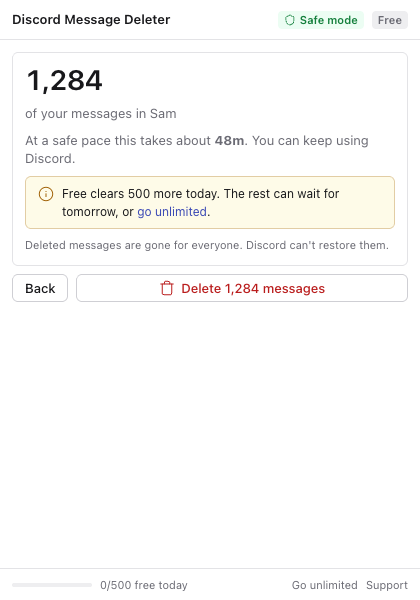
- Open the DM on discord.com.
- Click the extension icon and press Find my messages. Add a date range if you only want, say, last year's messages gone.
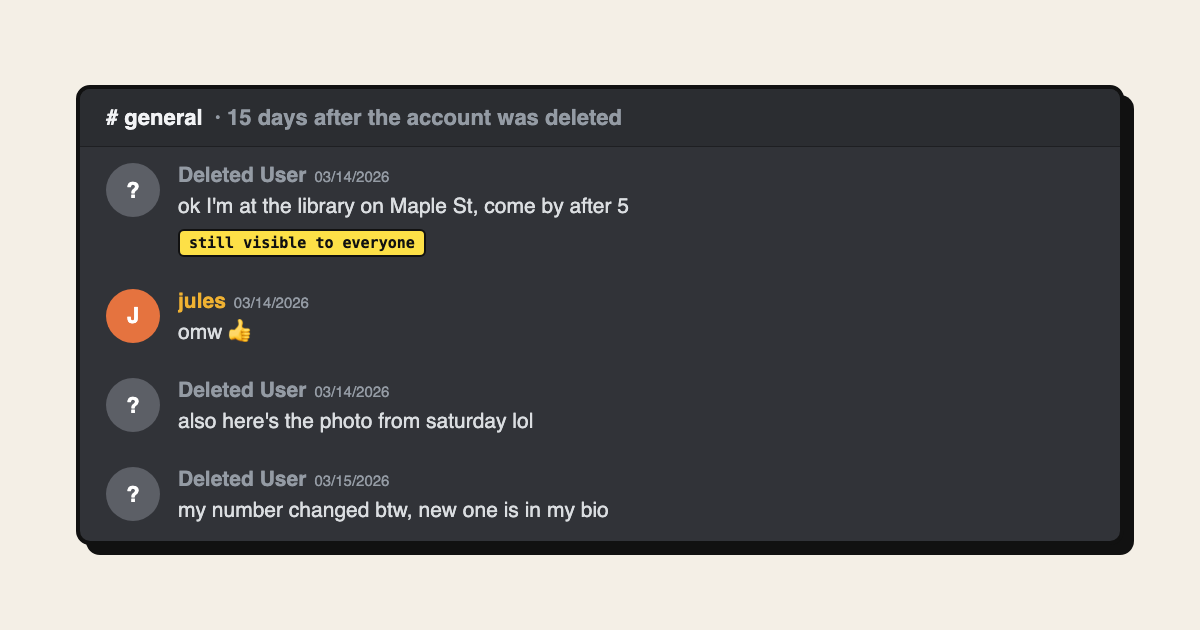
- It shows how many of your messages it found and how long deletion will take.
- Confirm. It deletes them one by one, slowly, while you keep using Discord. Pause or stop whenever you like.
It works only on your own messages and checks each one before deleting it, so the other person's messages are left exactly as they are. There's no account token to paste and no console script.
The free version deletes 500 messages a day, one chat at a time, so a big DM can take a few days. Pro removes the limit and can go through every DM you have in one run.
Deleting is permanent for both of you. If there's anything in the DM you might want later, like photos, links or plans, save it first.
Before you delete Discord DMs: save what matters
A few minutes of saving first avoids regret later. Download photos and files you want to keep by opening each one and saving it. Copy addresses, links and plans into a note. If the conversation matters as a record, for example agreements about money, take screenshots or export the chat before any message is deleted, because neither you nor Discord can bring deleted messages back.
Group DMs
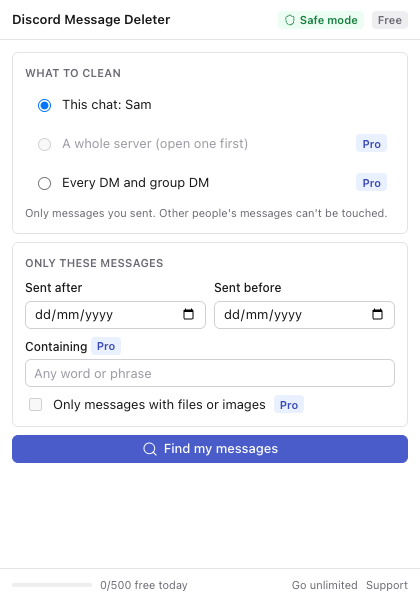
Group DMs follow the same rules. You can delete your own messages, and they disappear for everyone in the group. Leaving the group doesn't delete your messages; they stay for the remaining members, and once you leave you can't get back in to delete them unless someone adds you again. Delete first, then leave.
Is it safe to bulk delete DMs?
Deleting by hand is completely normal use. Any tool that deletes for you counts as automation, which Discord's rules on self-bots forbid on normal accounts. Discord has locked accounts that send requests very fast, so pace is what matters. Discord Message Deleter waits one to two seconds between deletions and backs off whenever Discord asks it to slow down. That lowers the risk without removing it.
For the full comparison of methods, including servers and channels, read how to delete all Discord messages. If you're leaving Discord entirely, read whether deleting your account deletes your messages first. The answer is no. Questions about the extension go to the support page.